From Workflows to Autonomous Work: The Evolution of Automation

Jeraya Team
November 16, 2026In 2024, the share of everyday work decisions made autonomously by AI was effectively zero. By 2028, Gartner predicts that at least 15% of them will be. That is not a gradual software upgrade. It is a change in who (or what) does the work.
But here is the part most "future of work" articles skip: autonomy is not a destination every process should reach. The companies getting real value from AI are not the ones that jumped straight to agents. They are the ones that understood the four stages of automation, and put each process on the right one.
This guide walks through that evolution, from manual work to rule-based automation, to AI-assisted workflows, to autonomous agents, and gives you a practical way to decide where each of your processes belongs.
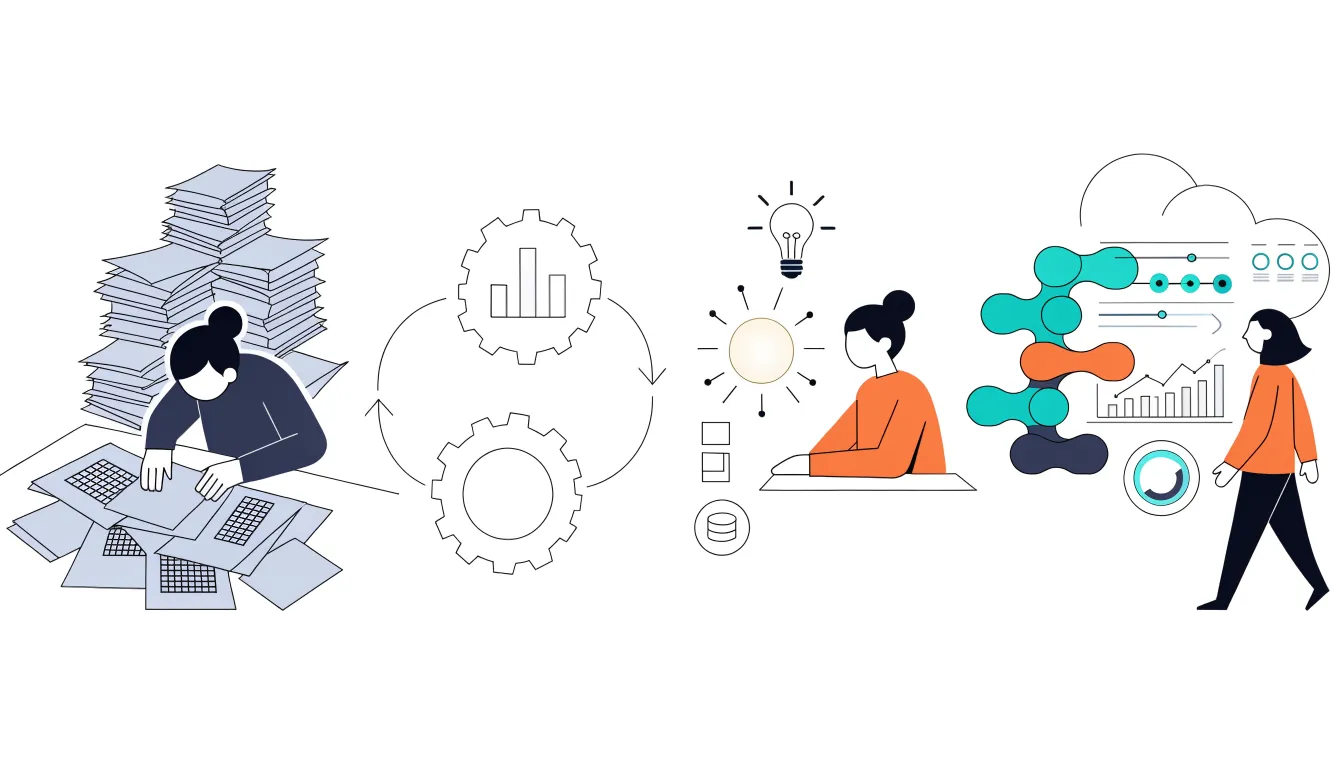
A story in four stages: one inbox, ten years
Meet Salma, who runs operations at a 12-person distribution company. Every day, around 80 orders arrive by email: some as PDFs, some as Excel files, some as a two-line message saying "same as last week, but double the olive oil."
- Stage 1, manual: Salma reads every email, retypes the order into a spreadsheet, checks stock, and emails the warehouse. It takes her most of the morning.
- Stage 2, rule-based automation: A workflow tool watches the inbox. When an email has the subject "New Order" and a CSV attachment, it parses the file and creates a row. Great, for the 30% of customers who follow the template.
- Stage 3, AI-assisted: An AI step now reads any email, extracts the products and quantities, and drafts the order. Salma reviews and clicks approve. Her morning shrinks to 40 minutes.
- Stage 4, autonomous: An agent receives the goal "process incoming orders." It extracts the order, checks stock, flags a shortage, proposes a substitute to the customer, updates the CRM, and only escalates the three orders that look unusual.
Same inbox. Same business. Four completely different operating models. Let's look at each one.
Stage 1: Manual work, where every process starts
Every process begins as a human doing it by hand. That's not a failure; it's how you learn what the process actually is.
Manual work is flexible: a person can handle a messy email, a strange request or an angry customer without any configuration. The cost is that it doesn't scale. Every extra order, ticket or invoice adds linear human time, and the error rate climbs as people get tired.
The hidden value of this stage: it's where you discover the rules, the exceptions and the edge cases. Teams that skip it and try to automate a process they've never run consistently usually automate chaos.
There's a line widely attributed to Bill Gates that every operations team should remember: "automation applied to an inefficient operation will magnify the inefficiency." That warning matters even more when the automation is an AI agent that can act at machine speed.
Stage 2: Rule-based automation, the "if this, then that" era
Rule-based automation is older than most people think. Businesses were exchanging structured documents electronically (EDI) back in the 1960s, and business process management engines spread through enterprises in the 1990s. The big shift for small teams came in the early 2010s, when tools like IFTTT and Zapier (founded in 2011) let non-developers connect web apps with simple triggers and actions. Robotic process automation (RPA) did something similar for legacy desktop software, and open-source tools like n8n brought the same model to teams who wanted to self-host.
The model is always the same:
- Trigger: something happens (a form is submitted, a row is added, an email arrives).
- Conditions: the workflow checks rules (amount > 1,000, country = Morocco).
- Actions: it does something (create a record, send a message, update a CRM).
If you want a deeper primer, see our complete guide to business automation.
Why it's great: it's deterministic. The same input always produces the same output, it's cheap to run, and it's easy to audit.
Why it hits a wall: it only works when the input is predictable. The moment a customer writes "same as last week," the rule breaks. Most teams end up with dozens of fragile workflows, plus a person who spends their day fixing the cases the automation couldn't handle.
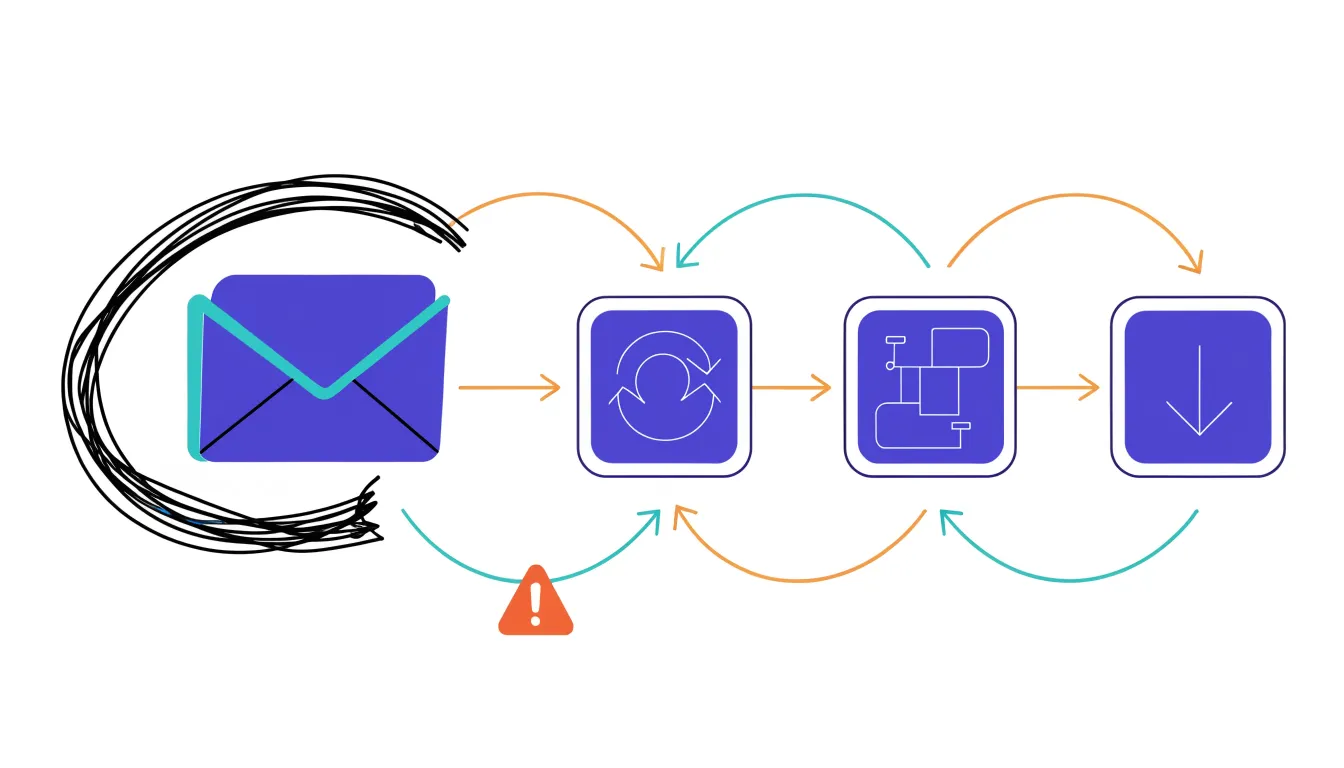
Stage 3: AI-assisted workflows, where judgment enters the pipeline
The third stage keeps the workflow structure but inserts AI steps where judgment used to be required. Instead of "if subject contains 'Order'," the workflow asks a language model: "Is this an order, a complaint or a question? Extract the products and quantities."
Typical AI steps inside a workflow:
- Classify: route tickets, tag leads, detect urgency or sentiment.
- Extract: pull fields out of PDFs, emails, invoices and contracts.
- Generate: draft replies, summaries, proposals or product descriptions.
- Decide (with a human): recommend an action and wait for approval.
The crucial difference from stage 4: the workflow still defines the path. AI handles the fuzzy parts, but the sequence of steps is designed by a person. That makes this stage the sweet spot for most small businesses today: far more flexible than rules, far more predictable than agents.
We've covered this pattern in detail in What Is an AI Workflow? and in our tutorial on building an AI-powered workflow without coding.
Stage 4: Autonomous agents, from following steps to pursuing goals
An AI agent doesn't follow a predefined path. You give it a goal, a set of tools (read tables, send emails, update records, call APIs) and boundaries, and it decides the steps itself:
- Understand the goal: "Process today's incoming orders."
- Plan: read emails, extract orders, check stock, update the CRM.
- Act: use the tools it has been given.
- Verify: check the results, retry or escalate when something looks wrong.
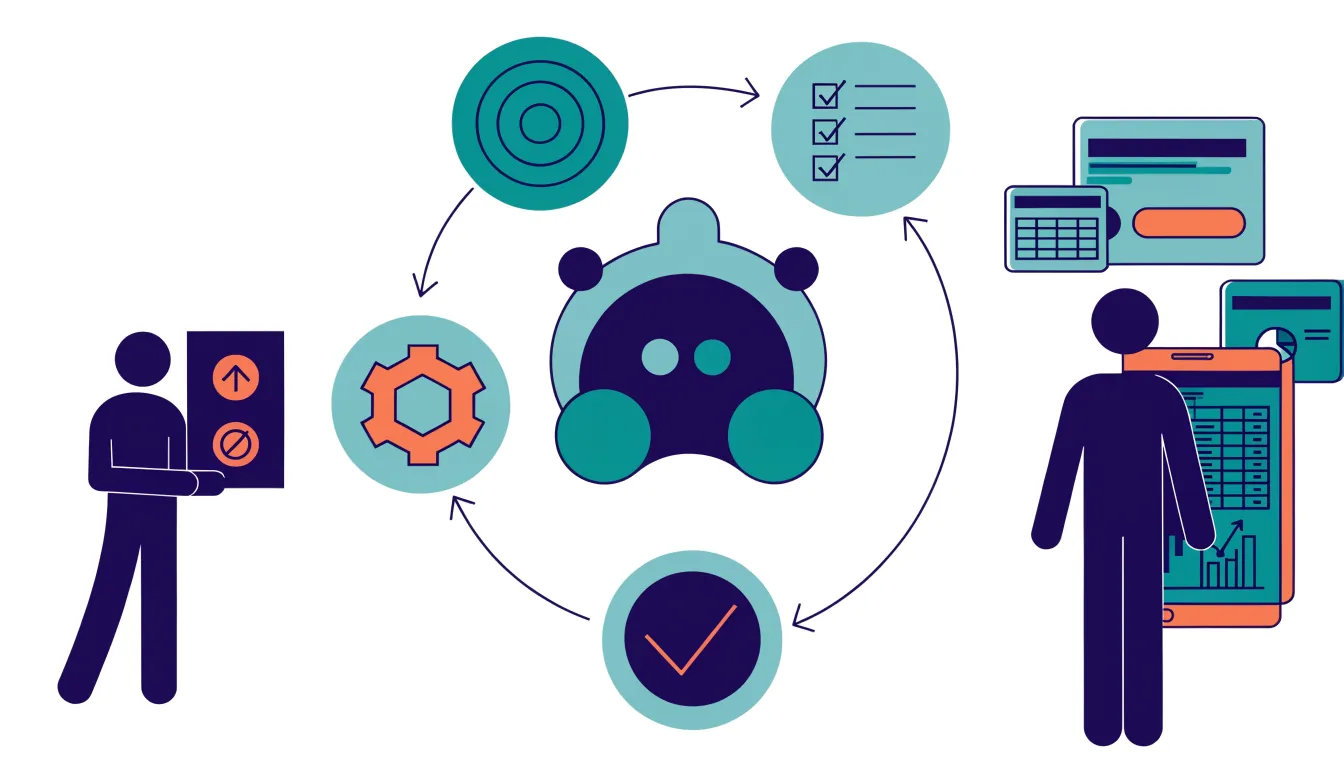
This is the shift from software you operate to software that operates for you. If the distinction between agents and classic automation is still fuzzy, read AI Agents vs Automation: What's the Difference?
What the data says about adoption
Agents are moving from hype to production, but unevenly. According to McKinsey's 2026 State of AI survey (1,719 respondents, fielded May–June 2026):
- 44% of respondents say AI is scaling across their enterprise, up from 38% a year earlier.
- 40% of large organizations (over $1B in revenue) report scaling AI agents, up from 27%.
- Smaller organizations stayed flat at 22%.
- Among AI high performers, nearly three-quarters say they have fundamentally redesigned workflows around AI.
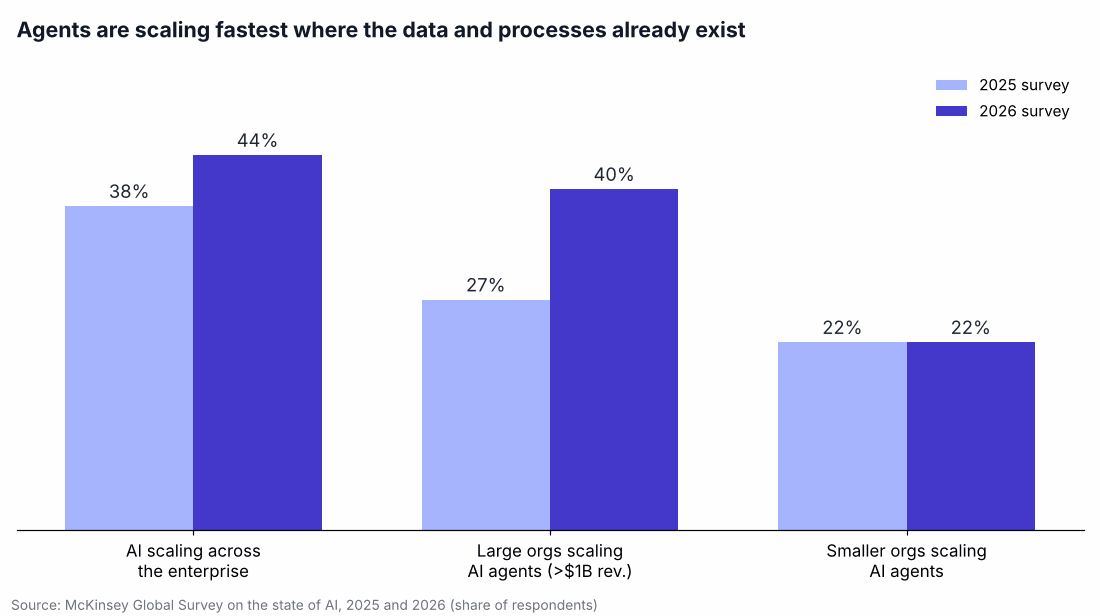
The takeaway is not "big companies have better AI." It's that agents scale where the data is structured and the workflows already exist. Smaller companies are stuck because their processes still live in inboxes and people's heads, not because the models aren't good enough.
The four stages side by side
| Manual | Rule-based automation | AI-assisted workflow | Autonomous agent | |
|---|---|---|---|---|
| Who decides the steps | A person | The workflow designer | The workflow designer | The agent |
| Handles messy input | Yes | No | Yes | Yes |
| Predictability | Medium | Very high | High | Medium |
| Setup effort | None | Medium | Medium | Medium to high |
| Cost per task | High (human time) | Very low | Low | Low to medium |
| Best for | New, rare or sensitive work | High-volume, structured tasks | Repetitive tasks with fuzzy inputs | Multi-step goals across tools |
| Main risk | Doesn't scale | Breaks on exceptions | Wrong extraction or tone | Confident wrong actions |
The contrarian take: most processes should not be autonomous
The common belief is that the evolution is a ladder and every process should climb to the top. That's wrong, and it's expensive.
Gartner expects over 40% of agentic AI projects to be canceled by the end of 2027, citing escalating costs, unclear business value and weak risk controls. It also warns about "agent washing," estimating that only about 130 of the thousands of vendors claiming agentic AI actually offer it. Its own advice is telling: use agents when decisions are needed, and automation for routine workflows.
Klarna is the most public example of the swing. In early 2024, the company said its AI assistant had handled 2.3 million conversations in its first month, the equivalent work of 700 full-time agents. A year later, Klarna started hiring human agents again, with CEO Sebastian Siemiatkowski telling Bloomberg that "investing in the quality of human support is the way of the future." The AI didn't go away. Klarna just learned which conversations needed a person.
The lesson: the goal isn't maximum autonomy. It's the right level of autonomy for each process.
A framework: the Autonomy Fit test
Before moving a process up a stage, score it on four questions (1 = low, 3 = high):
- Input messiness: Are inputs unstructured (emails, PDFs, free text)? Higher means rules alone will fail.
- Path variability: Does the sequence of steps change case by case? Higher means a fixed workflow will struggle.
- Cost of a mistake: What happens if it's wrong? Higher means you need a human checkpoint.
- Reversibility: Can an error be undone easily? Lower means keep a human in the loop.
How to read it:
- Low messiness, low variability → stage 2 (rule-based). Don't pay for intelligence you don't need.
- High messiness, low variability → stage 3 (AI-assisted workflow). Let AI read, keep the path fixed.
- High messiness, high variability, low cost of error, reversible → stage 4 (agent).
- High cost of error or irreversible → stage 3 or 4 with mandatory human approval, whatever the other scores say.
Salma's order inbox scores high on messiness, medium on variability and medium on cost of error. Verdict: an agent that drafts and checks orders, with human approval for anything above a threshold or outside normal patterns.
How to move a process up the ladder: 6 practical steps
- Write the process down first. If you can't describe it in ten steps, you're not ready to automate it.
- Centralize the data. Agents are only as good as the context they can read. Move orders, leads or tickets out of inboxes and into structured tables.
- Automate the deterministic parts with rules. Notifications, record creation and status updates rarely need AI.
- Add AI only where judgment is needed. Classification, extraction and drafting are the highest-ROI first steps.
- Introduce an agent with narrow tools and clear limits. Give it read access broadly, write access narrowly, and an escalation path.
- Measure, then widen. Track accuracy, time saved and escalation rate for a few weeks before giving the agent more autonomy.
If you're unsure where to begin, our list of 10 business processes you should automate today is a good shortlist.
Where Jeraya fits
Jeraya was built around this exact progression. Your data lives in tables, your repeatable steps live in automations, your fuzzy decisions are handled by AI steps, and AI agents can work across all of it, with the permissions and approvals you define. You don't have to pick one stage for your whole company; each process can sit at the level that fits it. Learn more in What Is Jeraya?
FAQ
What is the difference between workflow automation and autonomous work?
Workflow automation follows a path someone designed in advance: trigger, conditions, actions. Autonomous work gives an AI agent a goal and tools, and the agent decides the steps itself, checks its results and escalates when needed.
Will AI agents replace tools like Zapier or n8n?
Not entirely. Rule-based workflows remain the cheapest and most reliable option for structured, high-volume tasks. Agents are better for messy, multi-step work. Most businesses will run both. We compare them in n8n vs Zapier vs AI Agents.
Is an AI chatbot the same as an AI agent?
No. A chatbot answers questions; an agent takes actions in your systems. See Why Businesses Need AI Agents, Not Just AI Chatbots.
Do small businesses need autonomous agents?
Usually not as a first step. Most small businesses get faster returns from AI-assisted workflows: AI reads and drafts, a person approves. Agents make sense once your data is structured and you understand your exceptions.
How do I keep autonomous agents safe?
Limit the tools they can use, require approval for irreversible or high-value actions, log every action, and review escalations regularly. Start narrow and widen access only when accuracy is proven.
Is traditional automation dead?
No. It's becoming the reliable backbone that AI steps and agents sit on top of. We explore this in The End of Traditional Business Automation?
The takeaway
The evolution from manual work to autonomous agents is real, and it's accelerating. But the winners won't be the companies that automate everything with agents. They'll be the ones that put each process on the right rung: rules for the predictable, AI-assisted workflows for the messy, agents for the multi-step, and humans for the decisions that truly matter.
Start with one process. Run the Autonomy Fit test. Move it up one stage, not three. Then repeat.